
Programmatic Native
Native creatives are comprised of assets of multiple types including images and text. Because of the diversity of contexts where native ads may be displayed, we recommend providing multiple assets so that we can pick the best one to match each impression. To get maximum reach, please follow the guidelines below. Individual supplier requirements have been provided for reference, but you may limit your reach if using only supplier-specific formats.
All character count limits include spaces. For example, the phrase "Water.org brings fresh water to thirsty people" contains 39 letters, one punctuation mark, and six spaces for a total of 46 characters.
Native Display and Native Video
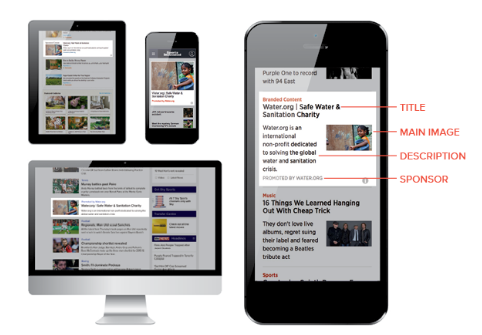
If you intend to run native ads across multiple supply partners, please use the guidelines below. If you are only interested in buying from a single partner, then we recommend you follow their guidelines.
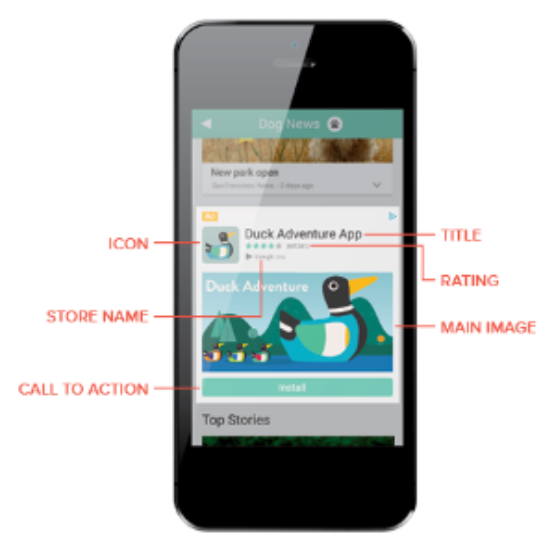
App Install Ads
Native Guidelines
Main Image (the large main image to be used in the advertisement):
1200x627, (1.91:1 aspect ratio)
The main image must be less than 2000x2000 pixels
Main Video (when included, the creative only bids on impressions that support video):
5 minutes (300 seconds) maximum
The main video must have a file size of less than 2 GB
Icon (the image, such as the advertiser's app icon or brand logo, to be included in the advertisement):
200x200 (1:1 aspect ratio)
Logo (the advertiser's logo to included in the advertisement, either be overlaid over the main image or shown separately from the main image):
200x200 (1:1 aspect ratio)
Short Title (title or headline for the native ad—should be optimized for mobile):
25 characters maximum
Long Title (title or headline for the native ad—should be optimized for desktop):
90 characters
Short Description (additional text typically displayed below the title—should be optimized for mobile):
90 characters maximum
Long Description (additional text typically displayed below the title—should be optimized for desktop):
140 characters maximum
Sponsor (Brand)—the name of the advertiser running the native ad:
100 characters maximum
Call to Action (text such as "Learn More" or "Buy Now" that likely appears in a button near the image assets):
15 characters maximum
Optimal Specifications
Image: 1200x627 (1.91:1 aspect ratio)
Main Video: 5 minutes maximum (300 seconds)
Icon: 200x200 1:1 aspect ratio
Logo: 200x200 1:1 aspect ratio
Title
Short: 25 characters maximum
Long: 90 characters
Description
Short: 90 characters maximum
Long: 140 characters maximum
Sponsor (Brand): 25 characters maximum
Call to Action: 15 characters maximum
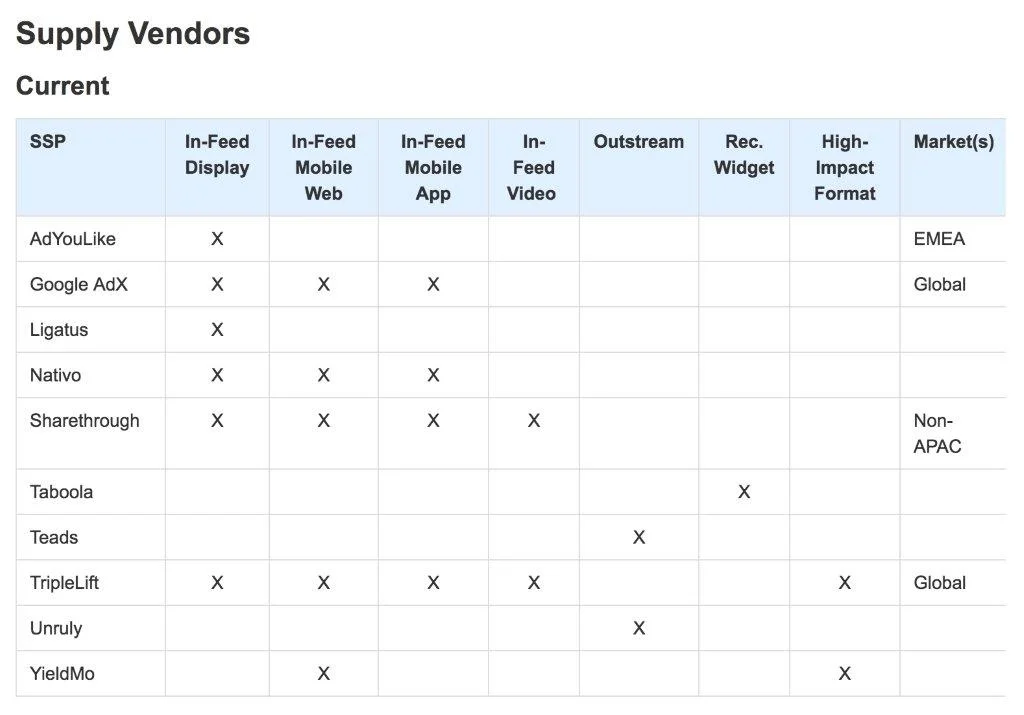
Guidelines by SSP
For the following SSPs, please consult the provided links for native creative specifications:
Do not include a Store Name asset type in any app install ad. Google has a bug that will reject any ad with a Store Name asset type.