
Standard IAB Ads
Ad Sizes:
728 x 90
300 x 250
160 x 600
300 x 600
970 x 250
970 x 90
300x50
320x50
320x480
Max File Size
150K
Max Animation Length
15 seconds
Max Loops
3x
Frame Rate
24fps
Notes
Creative images must be clear, recognizable, and relevant.
Text appearing in the ad must be legible.
Creatives must occupy the entire space of the image size you've chosen.
Creatives cannot appear sideways or upside down.
Creatives cannot be segmented, contain multiple copies of themselves within the ad, or otherwise appear to be more than one ad.
Creatives with partially black or white backgrounds must include a visible border of a contrasting color to the majority background color of the ad.
Creative file size is recommended to be 150 KB or smaller
Creatives must open a new page on click; they cannot open in the same page.
Animated ads are restricted to a maximum of 15 seconds of looping, after which point they must remain static.
Clear CTA button
If possible, providing 2-4 versions of creative to help alleviate ad fatigue
Accepted file types:
GIF, JPEG, and PNG image files
HTML5
HTML5 Specifications
File Sizes
Maximum initial load: 300 KB (200 KB recommended)
Maximum subload: 600 KB
Maximum initial file load count: 10 files
Maximum subload file count: 100 files
Maximum file size: 5 MB
Maximum user-initiated load: 2.2 MB (recommended)
File Packaging Methods
The following packaging options are available for HTML5 creatives:
A single .HTML file
A single root/main .HTML file with supporting images
A single root/main .HTML file with supporting images and additional supporting .JS and .CSS files.
When packaging HTML5 creatives, zip the assets, not the folder containing the assets.
Single HTML File
All information for serving the creative (with the exception of commonly used JavaScript and CSS libraries) should be included in the .HTML file.
The maximum .HTML file size is 200 KB.
Zip-Compressed File
All files for displaying the creative (with the exception of commonly used JavaScript and CSS libraries) should be included in the .zip file.
The primary .HTML file should be located in the root of the .zip file.
.Zip files must contain no more than 100 files, including at least one .HTML file for use as the initiating file for display
We suggest keeping the file count low to minimize browser performance impact.
The maximum size of any automatically-started video should be less than 1.1 MB.
The maximum size of any individual file is 2.2 MB.
The maximum size of the primary .HTML file should be 100 KB.
The .zip file should be smaller than 10 MB compressed and the contents should be smaller than 12 MB uncompressed.
Only .HTML, .JS, .CSS, .JPG, .JPEG, .GIF, .PNG, and .SVG files may be included in the .zip file.
Size Definition
The IAB has suggested that the dimensions of your creative be added to your primary HTML document in a meta tag inside of the head section of your document. The IAB has defined the dimension meta tag as:
<meta name="ad.size" content="width=300,height=250"/>.
Replace the width and height values with your creative’s dimensions.
If an ad size meta tag is not provided in the primary HTML document, you are prompted to enter dimensions when you submit the creative.
ClickTAG Parameters
The ClickTAG parameter is provided to the primary .HTML file as a URL parameter. The name of the URL parameter is customizable at the time of creative upload or during editing.
We suggest using JavaScript to read the parameter from the document location URL and using it to set up the landing page for your clicks. You can use single quotes (') or double quotes (") in your code, but you can not mix them. Use either all single quote or all double quotes.
Backup/Default Clickthrough Parameter
To correctly call the clickthrough page through the backup ad image, you must supply a clickthrough parameter for that purpose. If you wish to also use that clickthrough URL in your HTML5 creative, you can configure the creative to use the Backup Clickthrough URL as the Default Clickthrough URL.
Retrieving the Click-Tag Parameter
The Click Tag URL can be retrieved using the following code:
<head>
<meta name="ad.size" content="width=300,height=250">
<script type="text/javascript">
var clickTag = "http://www.google.com";
</script>
</head>
Using Multiple Clickthrough URLs
By appending a URL escaped landing page to the click tag URL, our system tracks the click and redirects the request to the given landing page.
In the following example, "clickTag" is a placeholder for your parameter name and "http://www.thetradedesk.com" is a placeholder for your landing page.
var clickTag = getParameterByName("clickTag") + encodeURIComponent("http://www.thetradedesk.com");
Different landing pages can be used for different actions.
Using the Click-Tracking Parameter
When the advertisement is clicked on, the creative must direct the user to the correct click tag page in a new window.
Technical
*All HTML5 files require a back up GIF or JPG file and ClickTAG. Please do not use hard coded URLs - they will not be accepted.
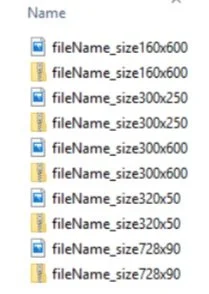
Provide generic static backups; please name both static backup and HTML5 file the same to expediate trafficking process and ensure accuracy.